Upsale or Upsell: Which One Is Correct?

Let’s settle this fast.
Most people say “upsale.”
But the correct term is “upsell.”
And this tiny difference matters more than you think, because the moment you understand what an upsell really is, you can turn it into one of the highest ROI growth levers in eCommerce.
In fact, upselling can increase revenue by 10% to 30% when done properly. (That’s not hype, it’s a widely referenced benchmark from sales research.)
So if you’re a Shopify merchant, this is one of the cleanest ways to grow without spending more on ads.
{{cool-component="/style"}}
Upsale or Upsell: What’s the Difference?
People often say “upsale”, but the correct term in eCommerce marketing is “upsell.”
Upsell (the correct term)
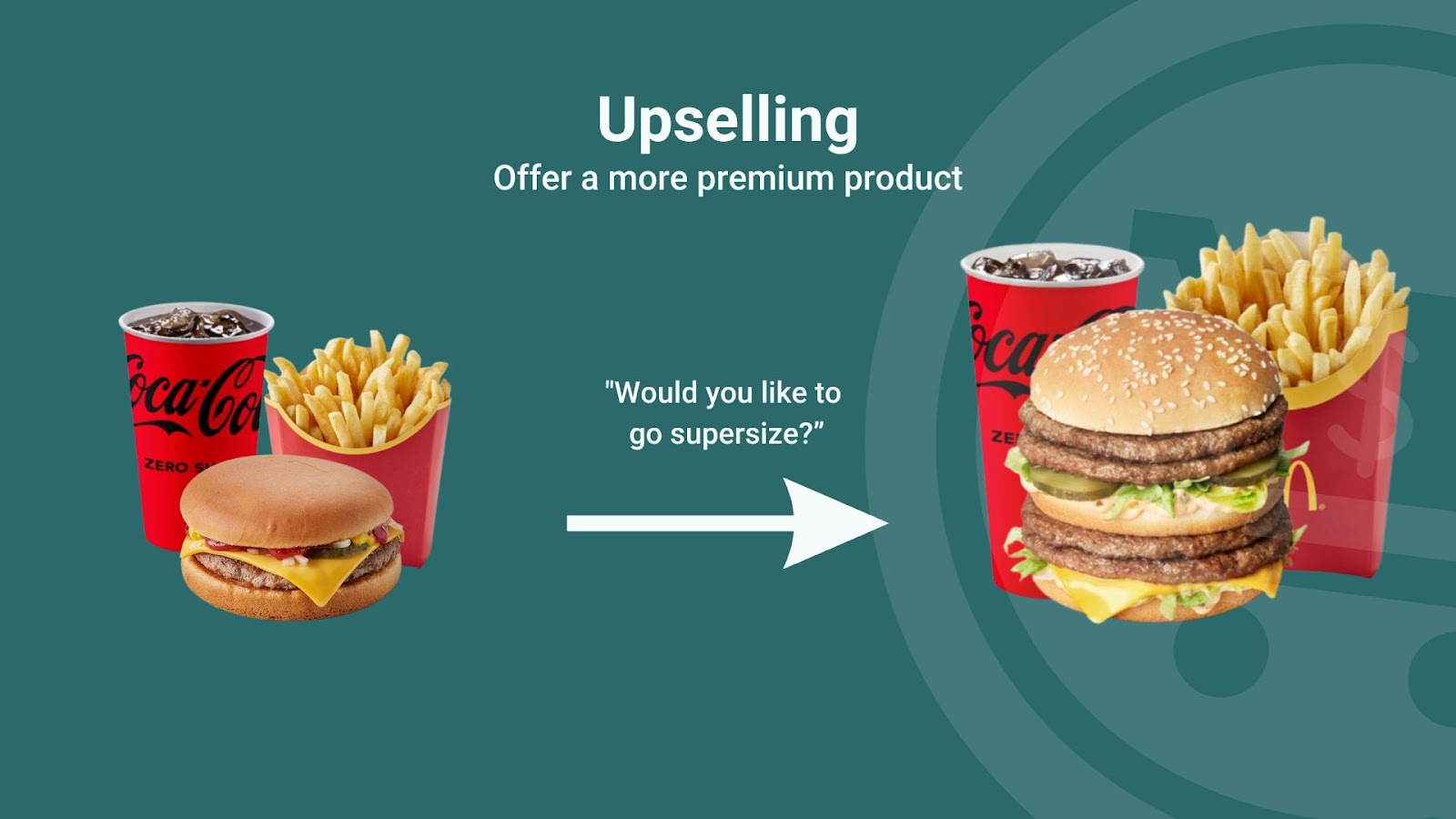
An upsell is when you encourage a customer to buy a higher-value version of what they’re already purchasing. The aim is to increase AOV & profitiablity.
Think: upgrade, premium, bigger size, better features.
Example:
- A customer adds a standard $29 water bottle.
- You offer the insulated stainless steel version for $39.
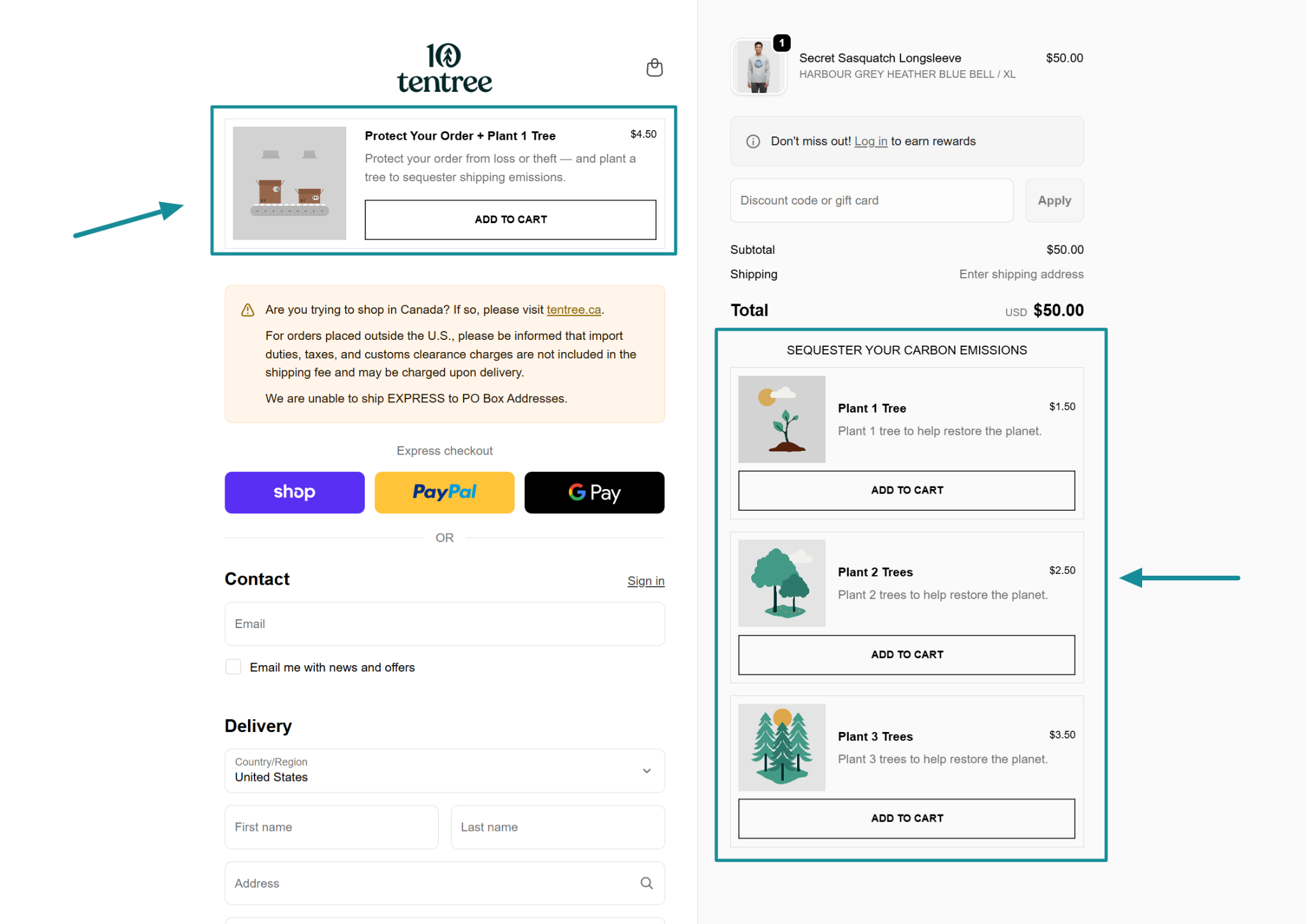
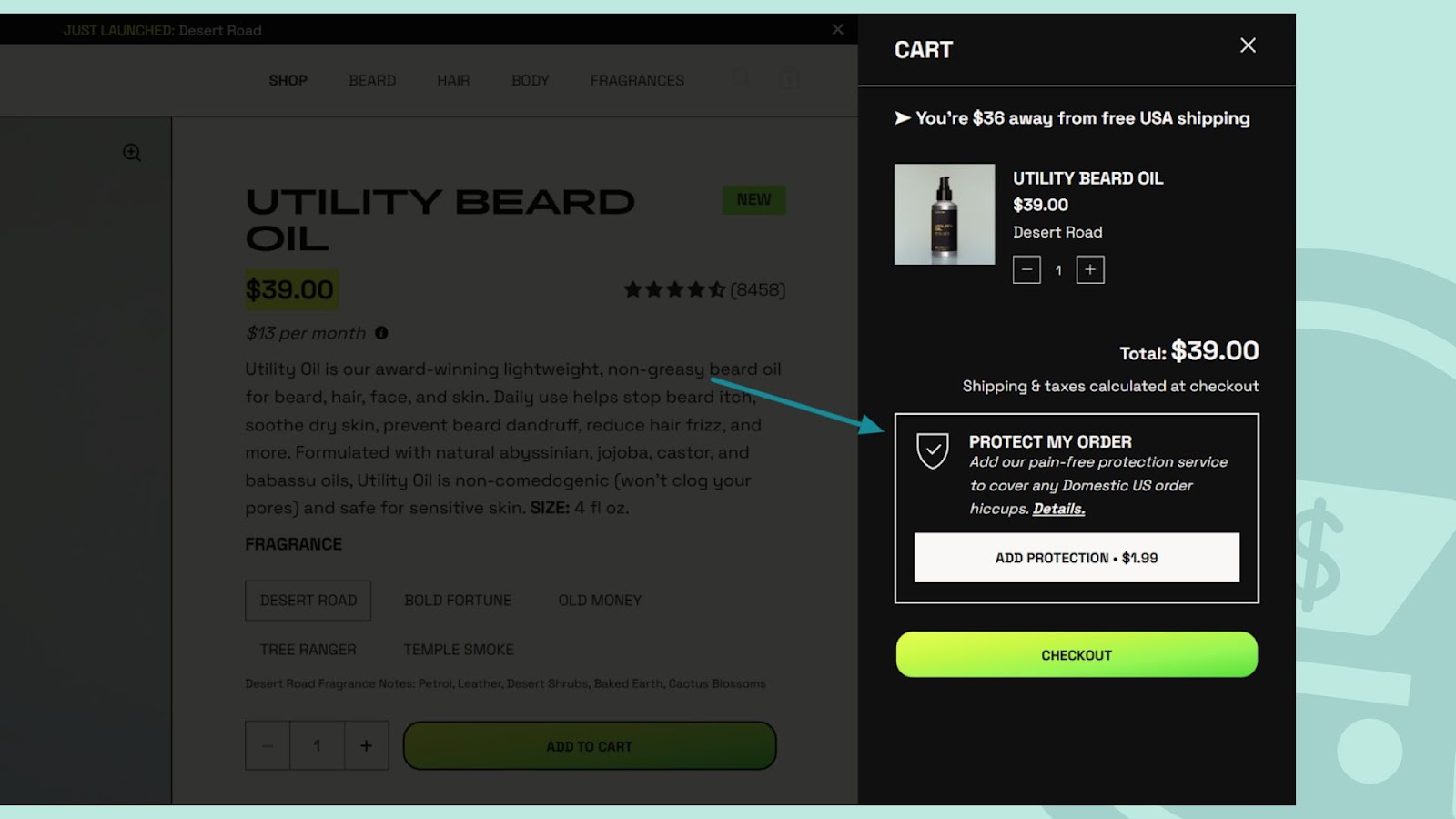
Or in the case of Tentree, they offer order protection as a checkout upsell.

That’s an upsell.
Upsale (common, but not standard)
Upsale is basically an informal variation people use because it sounds logical (“up” + “sale”).
Some merchants use it as a synonym, but in most Shopify apps, CRO playbooks, and marketing tools, the term you’ll see is upsell.
So which should you use upsale or upsell?
Use upsell in your store copy and content for correct English.
Upsell vs Cross-Sell (Don’t Mix These Up)
Now that we’ve cleared up upsale vs upsell, here’s another mix-up that costs Shopify stores real revenue.
A lot of merchants use upsell and cross-sell like they mean the same thing.
They don’t.
One increases value by upgrading the original product.
The other increases value by adding something extra to the cart.
What is an Upsell (Upgrade the original purchase)
An upsell is when you encourage the customer to choose a higher-value version of what they’re already buying.

You’re not changing their decision.
You’re improving it.
Common upsell examples:
- Upgrade to premium quality
- Move from monthly to annual subscription
- Buy the bigger size
- Choose the bundle instead of the single item
Example:
A customer is looking to buy a phone case, on your product page, you offer various upgraded versions of the phone case
.png)
Cross-sell (Add a complementary product)
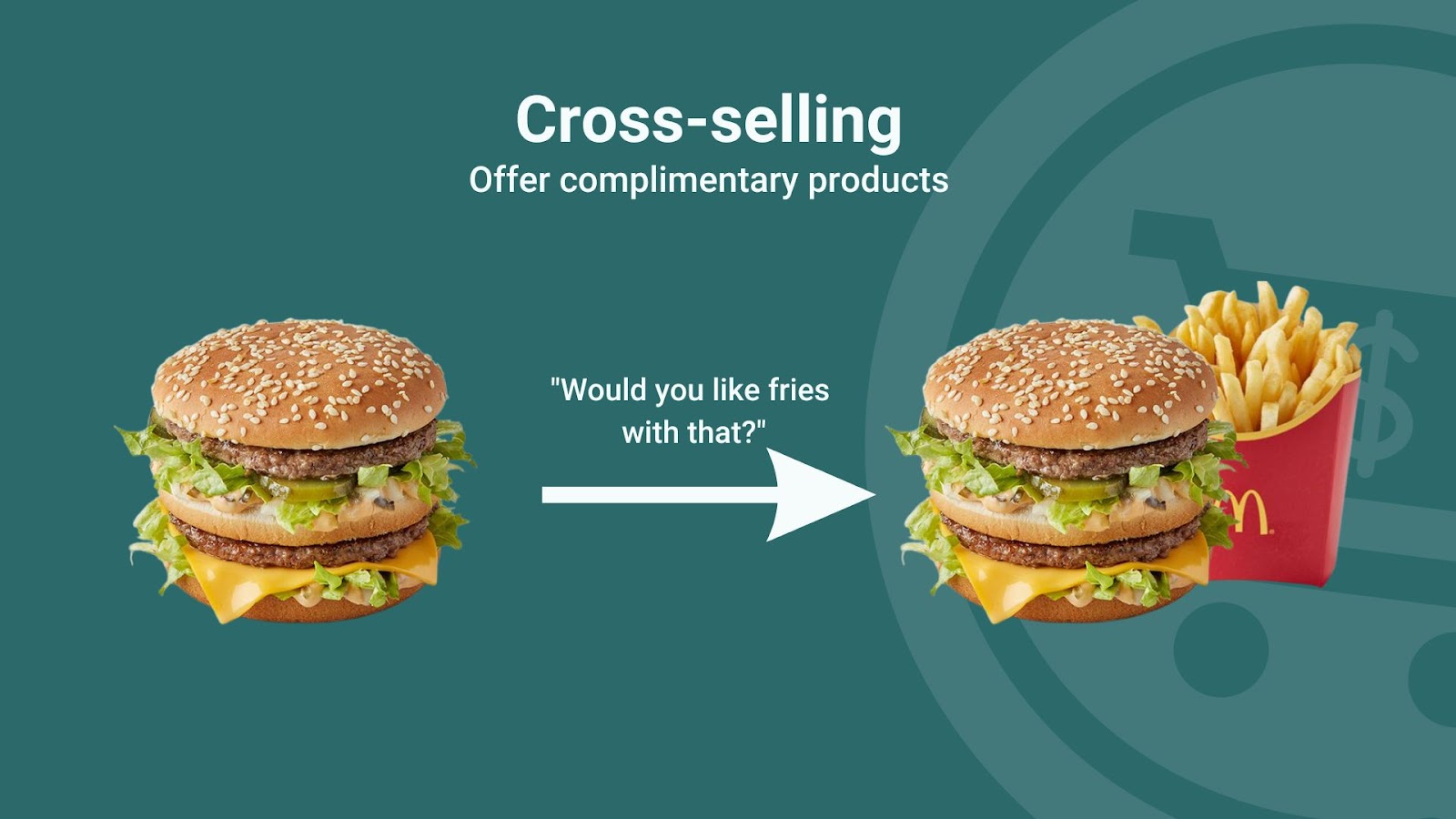
A cross-sell is when you offer a product that pairs well with what the customer is already buying.

It’s a different item, but it makes the main purchase better.
Common cross-sell examples:
- Phone case with a phone
- Socks with sneakers
- Batteries with a device
- Matching accessories with apparel
Example:
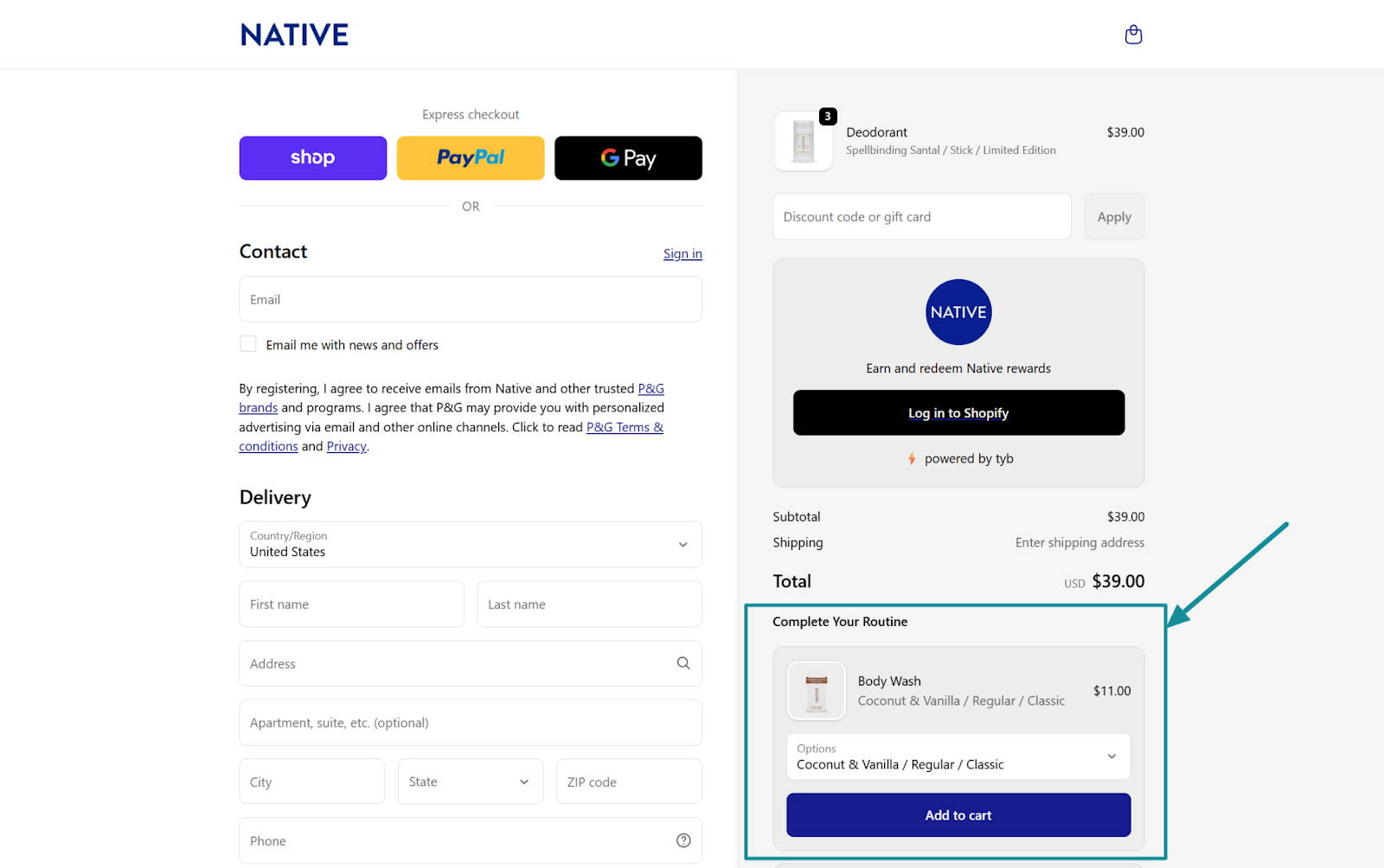
A customer buys a deodorant, you offer them body wash that pairs well with it.

Quick way to remember it
- Upsell = upgrade
- Cross-sell = add-on
Both can increase AOV, but they work best at different moments in the funnel.
4 Best Practices for Upsells That Drive More Sales
If you want upsells to increase revenue without hurting conversion rate, keep it simple.
The best upsells feel helpful, not salesy.
Here are a few proven tips Shopify sellers can use right away.
1) Make the upsell a “better version” of the same decision
Your upsell should be an upgrade, not a detour.
Good upsells include:
- premium materials
- bigger size
- higher-performing version
- bundle that improves results
2) Keep it to one offer (two max)
Too many offers creates decision fatigue.
One clear choice usually wins:
- “Upgrade for $10 more”
- “Get the 2-pack and save 15%”
If your upsell needs a paragraph to explain, it’s too complex.
3) Use tight relevance, not random add-ons
The fastest way to kill an upsell is to offer something unrelated.
A strong upsell should make the customer think:
“That makes sense with what I’m already buying.”
4) Test upsells post-purchase first
If you’re not sure where to start, begin with post-purchase upsells.
Why?
Because the purchase is already completed, so the upsell won’t interrupt checkout.
That’s why post-purchase is often the easiest place to increase AOV without adding friction.

Where Upsells Work Best on Shopify (Product Page vs Cart vs Checkout vs Post-Purchase)
Here’s the truth most Shopify stores learn the hard way:
A great upsell can fail just because it appears at the wrong time.
That’s why “where” you place your upsell is just as important as “what” you’re selling.
Below are the four main upsell locations on Shopify, plus when to use each one.
1) Product Page Upsells (Best for upgrades and bundles)
Product page upsells work because the customer is still exploring.
They’re open to options.
That makes this the perfect spot for:
- premium versions
- size upgrades (small → large)
- bundles (“get the set”)
- subscription upgrades (“save 10% when you subscribe”)
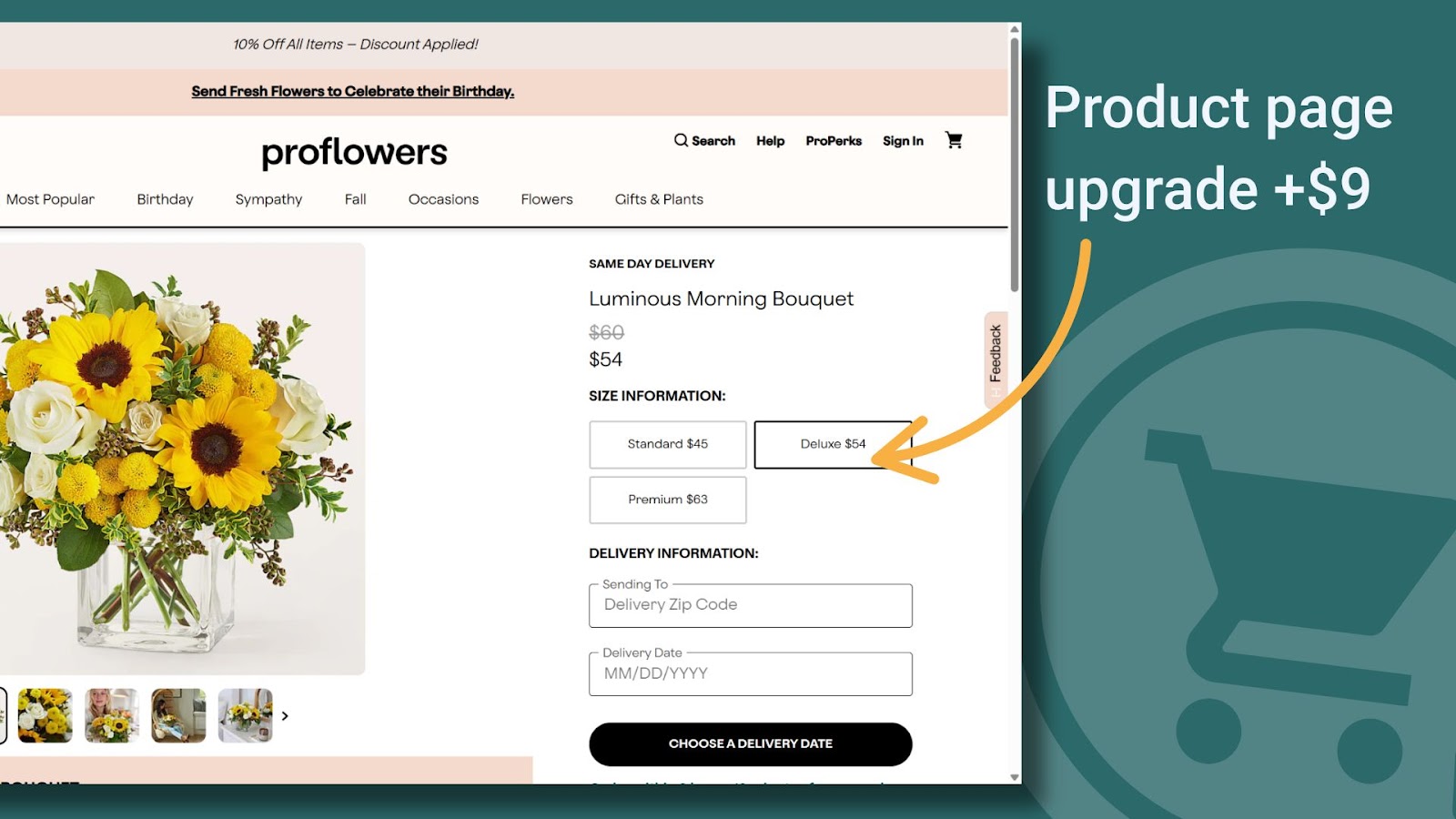
Example: Customer is viewing the standard flowers bouquet, you pre-select the deluxe bundle (and test adding 'most popular' too)

Best practice:
Keep the upsell close to the main product. Same goal, same category, same intent.
Cart Upsells (Best for fast add-ons and thresholds)
Cart upsells are strongest when they’re:
- low effort
- low price
- high relevance
This is where “quick wins” shine, such as:
- order protection
- gift wrap
- accessories
- free shipping threshold boosters (“Add $12 more to get free shipping”)
Example:

Customer has $39 in cart.
You show:
- “Add $36 to unlock free shipping”
- “Protect my order for $1.99”
Watch out:
The cart is also a major exit point, so don’t overload it with choices.
One offer is usually enough.
Checkout Upsells (Best for one clean upgrade)
Checkout is a sensitive zone.
Customers are in “finish the purchase” mode.
So if you place upsells here, they need to be:
- extremely clear
- extremely relevant
- extremely fast to accept
This location works best for:
- a single product upgrade
- an “upgrade to premium” toggle
- small, confidence-building add-ons (like protection)
Example:
Customer is checking out with standard shipping.
You offer:
- “Upgrade to express shipping for $6”
Best practice:
Keep it simple. If it creates friction, it costs you conversion.
Post-Purchase Upsells (Highest leverage for AOV)
This is where most Shopify brands should start.
Why?
Because the customer already bought.
So you’re not competing with the decision to purchase.
You’re simply offering an upgrade or add-on while buying intent is still high.
Post-purchase upsells work best for:
- “frequently bought with” items
- restocks (“Add a second one for 20% off”)
- premium upgrades
- bundles
- subscription offers
Example:
Customer buys a skincare cleanser.
On the thank you page you offer:
- “Add the matching moisturizer for 25% off (one-click)”
Why it converts:
No additional checkout friction. Just one click.
Quick takeaway: which upsell location should you pick?
If you want the simplest path to more revenue:
- Use product page upsells for upgrades and bundles
- Use cart upsells for thresholds and quick add-ons
- Use checkout upsells for one simple upgrade
- Use post-purchase upsells to maximize AOV without hurting conversion
And if you’re unsure where to begin, start with post-purchase. It’s usually the highest ROI and the lowest risk.
Upsale or Upsell: Final Takeaway (and How to Turn It Into More Revenue)
So, upsale or upsell, which one is correct?
Upsell is the standard term.
“Upsale” is a common variation people still search for, but in eCommerce and CRO, upsell is the word you want to use.
More importantly, once you understand upsells, you unlock one of the fastest ways to grow a Shopify store without relying on more traffic.
Because upsells work when they’re:
- relevant
- simple
- timed correctly (especially post-purchase)
That’s how you increase revenue per order, improve average order value, and scale more profitably.
Want to apply everything in this article without custom dev?
That’s where ReConvert comes in.
ReConvert helps Shopify merchants build the exact upsell system we covered, including:
- One-click post-purchase upsells (high ROI, low friction)
- Thank you page offers
- Cart and checkout upsells
- Personalized rules based on cart value, products, or customer behavior
- A/B testing so you can optimize offers instead of guessing
In other words, instead of just knowing the difference between upsale or upsell, you can actually turn it into a repeatable revenue engine.
If your goal is to increase AOV, boost post-purchase revenue, and create upsells that feel natural to customers, ReConvert makes it easy to launch and improve fast.
{{cool-component="/style"}}