 Product
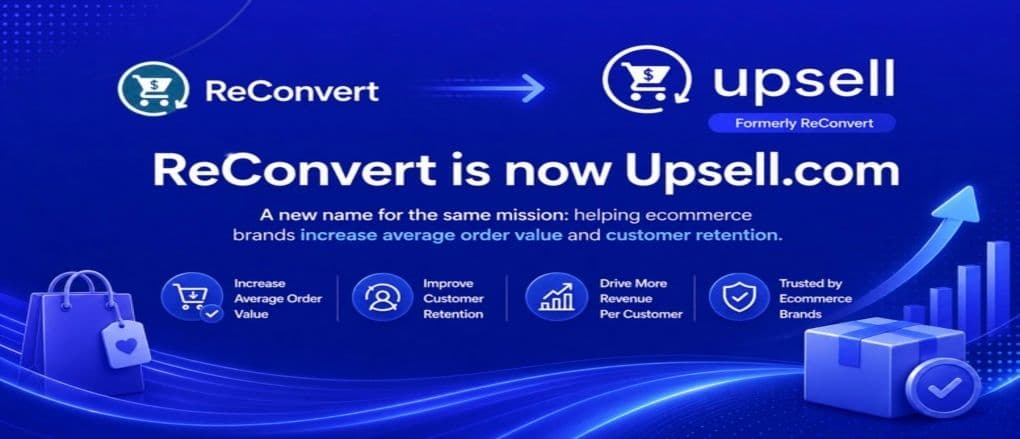
We have rebranded! ReConvert is now Upsell.com
ReConvert has officially become Upsell.com. Here’s what’s changed, what stays the same, and what this means for your Shopify store.
1 min read
When you know what your customers think, you can adapt your business to better meet their needs.
But what’s the best way to understand our customers? Ask them!
Enter the humble Shopify post purchase survey.
A post-purchase survey on shopify appears on your thank you page. It captures feedback when it’s still fresh in your shoppers minds.
And the best part? Adding post-purchase surveys to Shopify is dead easy.
In this article, we’ll show you how you can collect more feedback than ever before. You’ll learn how to optimize your survey for maximum engagement. And also, how to ask specific questions to specific audience segments for more detailed feedback.
Sounds good? Let’s jump in!
Shopify post-purchase surveys are a feedback tool for gathering information from customers.
As the name suggests, you deliver post-purchase surveys on Shopify after a customer orders from your eCommerce store.
Post-purchase surveys can include anything from 1-5 star ratings, to text-based questions about user experience.
But whatever the format, the goal is the same: to provide you with information that you can use to enhance your customer experience going forward.
Post purchase surveys can help you discover things like:
Post purchase surveys come in several formats. But two of the most common are: Post-purchase email surveys and Thank you page surveys.
Both formats give you valuable data. However, thank you page surveys are generally better because they:
Now that you know what post-purchase surveys are, let’s keep going. In the next section, you’ll learn how to add post-purchase surveys on Shopify in a few easy steps.
First we need to create a post-purchase survey to add to your thank you page.
You don’t need a complete survey at this point. You can always come back and change it later.
After you're set-up, we’ll cover some of the best questions to ask your customers.
But for now you just need to create a generic survey, so we can add it to your thank you page.

Amazing! You’ve just created your first Shopify post-purchase survey. Don’t worry if it’s not perfect for now.
Let’s keep going to learn how to add your new survey to your thank you page. We won’t make it live until you’re happy with it.

For this demo, we’ve created a new plain thank you page, where we’ll add the survey.

Congratulations, you’ve now added your first shopify post-purchase survey! You’ll see a preview of the survey on your thank you page.
Nothing is live yet, so feel free to go back and edit your survey questions, title, response format and more until you’re happy with it. You can also add questions directly in the thank you age editor.
You can also edit the design of your post-purchase survey - editing colors, buttons, positioning and more until you’re happy with it!
You may wish to show your post-purchase survey to all customers. Or you may wish to segment customers to get more granular feedback.
For example, you may want to know how new customers discovered your brand. But you may also want to know what a repeat customer thought of their last order. Or you may wish to get feedback on a particular product or collection.
Thankfully, it’s easy to segment your audience like this using triggers and multiple thank you pages. Here’s how:
A post-purchase funnel allows you to create a customer journey immediately after they’ve completed a purchase.
The funnel sits in-between the order page and the thank you page.
You can use post-purchase funnels to display shopify post-purchase upsells,cross-sell and downsell offers.
But for this section, we’re just going to use the funnel to add conditions that’ll allow you to show specific thank you pages to specific customer segments.


Upsell.com helps you increase AOV with targeted offers across the full shopping journey, from product and cart to checkout, post purchase, and beyond.
Note: we selected the thank you page we built in step 2 as this is the thank you page that we added our post-purchase survey to.
Creating specific surveys, for specific segments like this is more advanced. It’s not necessary, depending on what type of feedback you want.
But it can help you get more accurate feedback depending on your overall strategy (e.g. Find out what additional services/products your top 10% of customers want).
The thank you page is the best place to gather feedback. But that doesn’t mean we can’t improve it further. Here’s four tips to maximize your accuracy and response rate.
Customers are prepared to answer a few questions. But not too many. So, don’t inconvenience them. Curtail your post-purchase surveys to 3-6 questions.
More than that may cause respondents to skip through answers, giving you unreliable data. Or worse still, just annoy them
Good data begins with good questions. Open ended questions have a place (e.g. how was your experience today?) But you’ll need to get more specific if you want to get actionable insights.
A question like ‘On a scale from 1-5, how easily did you find the product you were looking for’ is much more insightful. If your customer’s average response is low, you know it’s time for a merchandising and store navigation overhaul.
Ultimately, use your post-purchase survey to get feedback on the specific areas where you want to improve. Be it marketing, UX, shipping or anything else.
Post purchase surveys are meant to help you improve your store, not detract from the customer experience.
If you make surveys mandatory or continue to shove them in customer faces, the only things you'll get are negative reviews and a lack of returning business.
It's okay to suggest customers fill out the survey, but avoid creating intrusive pop-ups and make it easy to say no.
A small incentive can boost response rates. In ReConvert, add an incentive by naming your survey with your promotion (e.g. Give feedback, $5 of your next order!)
Then you can use the ‘thank you message’ field in the post-purchase survey widget to display a $5 discount that’s valid on a customer’s 2nd order.
Incentives like this will not only boost your response rate, but they may also help increase your returning customer rate too!
The best question to ask is the ones you want an answer to. The one that informs decisions for your eCommerce strategy.
There’s no best question to ask, because every store is different. It all depends on what you want to know. And what you can do with the information.
So, it’s best to identify questions that give you the best insight into areas for improvement. That said, here’s some examples of post-purchase survey questions to get you started.
It’s important to understand how post-purchase feedback fits into your overall feedback strategy.
Although undeniably useful, post-purchase feedback is subject to ‘survivorship bias’. I.e. Your responses come from visitors who converted. Naturally, this means they may be biased.
Think about it: none of the feedback in your post-purchase survey comes from customers who failed to convert. These visitors are also a valuable source of feedback. It’s important to try and find out why they didn’t convert.
There are a few ways to get insight here. You can deploy pre-purchase surveys. You can scour your helpdesk in search of common complaints from visitors. You can also use heat mapping tools to learn how non-converting users interact with your store.
Your post-purchase surveys can provide valuable insight into the pre-purchase experience. But be aware that the data is coming from a small segment of your total site visitors. Therefore it is important to understand it in the context of all your website visitors - especially those who didn’t convert.
Shopify post purchase surveys are a potent tool. They help you gather information that can inform actionable changes in your eCommerce strategy.
Implementing surveys on your thank you page is easy. It's a low effort, non-intrusive strategy that gives you customers a chance to have their say (and gives you the chance to improve).
Thank you page surveys have higher response rates, and likely provide more accurate data when compared to email surveys. Combining thank you page surveys with post-purchase follow-up emails will give you unparalleled insight into your customers thoughts.
So, improve your ecommerce experience today and add post-purchase surveys to Shopify! If you’ve got any questions, don’t hesitate to reach out to support in the live chat, and we’ll get back to you in a couple of seconds.
ProductReConvert has officially become Upsell.com. Here’s what’s changed, what stays the same, and what this means for your Shopify store.
 Marketing
eCommerce marketing automation allows you to free up time, provide a better experience, and ultimately, make more sales. Discover 10 simple, but proven eCommerce marketing automation examples you can implement to take your store to the next level.
 Marketing
You don’t need a huge budget to get your business or brand noticed. Our online marketing ideas for small businesses are designed to maximize ROI.
Get eCommerce insights that convert
One email a month, practical strategies on conversion, AOV, retention, and customer experience.