The Black Friday Upsell Checklist: Set Up Before the Rush
Black Friday isn't a day anymore. It's six weeks where a huge share of your year's revenue comes through the door at once, and most merchants spend all of it on ads and discounts while leaving money on the table right after the sale is already won. The upsell is the cheapest growth lever you have this quarter, because the customer is already there, already paying, and already saying yes — the same way Amazon never lets a checkout pass without one more relevant suggestion.
So let's get into exactly what to set up, and when, before the rush hits. These numbers come from real, anonymized data recorded across thousands of Shopify stores running Upsell.com (formerly ReConvert) — not a forecast, but what actually happened during last year's BFCM season.
Here's what the data says, before the checklist:
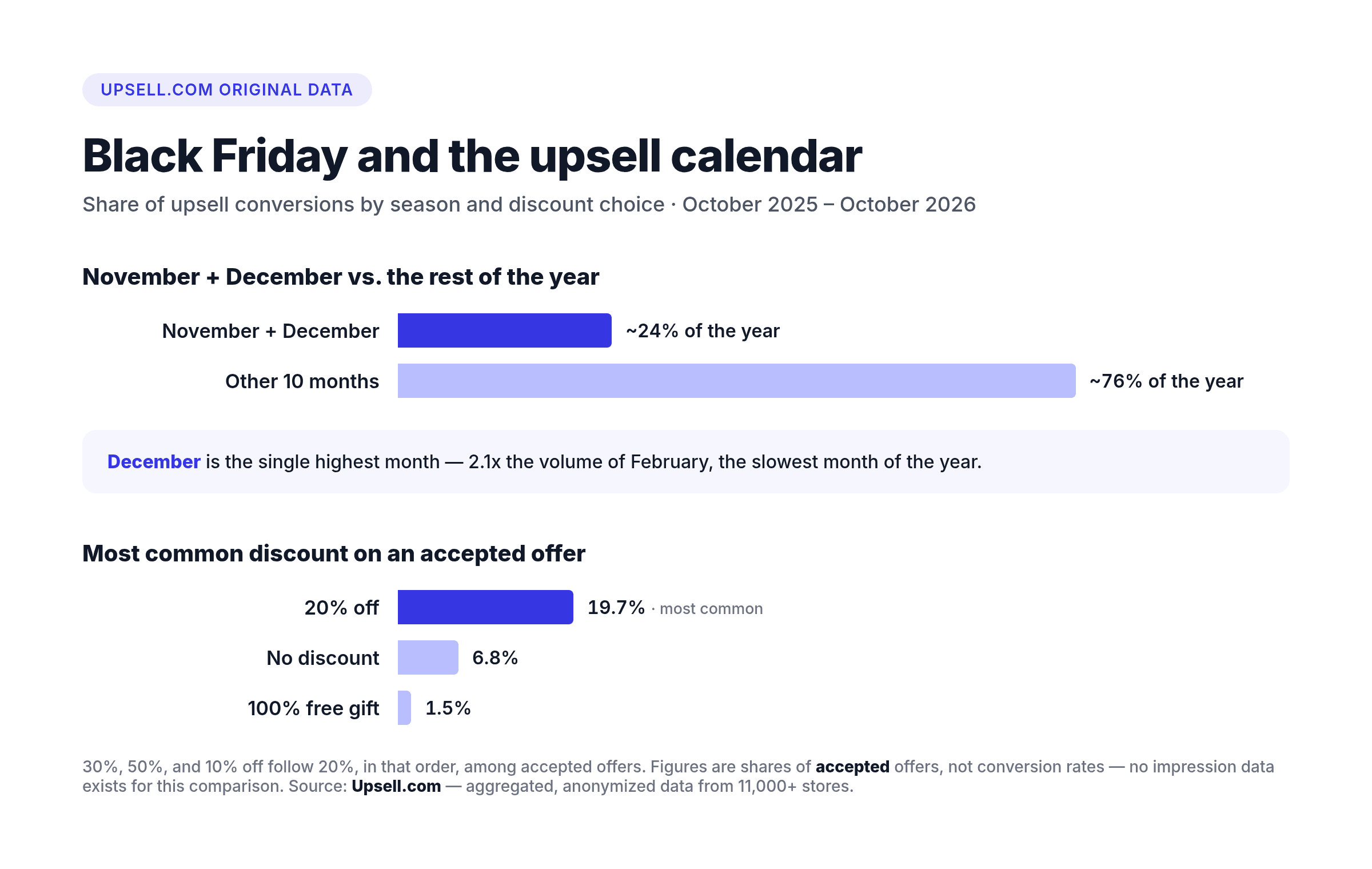
- November and December together make up about 24% of the whole year's upsell conversions — your BFCM setup carries outsized weight for the other ten months combined.
- December is the single highest month, 2.1x the volume of February, the slowest month of the year.
- Post-purchase offers — the page a customer sees right after they pay — account for 67.9% of all accepted upsells, more than every other placement combined.
- When a customer accepts a first post-purchase offer, a second one typically lands at +21 per 100 on top of that, climbing to about 27 per 100 in December.
- 20% off is the most common discount merchants use on an accepted offer (19.7% of all accepted offers) — ahead of 30%, 50%, or no discount at all.
What is a post-purchase offer, exactly?
A post-purchase offer is a one-time deal a customer sees on the page right after they've paid — before the thank-you page even loads. It's not a popup trying to talk someone into buying; the sale is already closed. Think of it as a post-purchase email with a 100% open rate, except the customer is already on your site, card in hand, one click from yes. eBay and AliExpress lean on the same logic right after checkout on their marketplaces: once someone's committed, a relevant add-on is an easy yes rather than a hard sell. A skincare store running a holiday sale might show a $12 travel-size companion product at 20% off, right there on the confirmation flow, before the customer's attention moves anywhere else.
What is an announcement-bar countdown?
An announcement bar is a slim, sticky bar that carries a message, a discount, and a live countdown timer. Upsell.com's announcement bar runs where it converts hardest: on your thank-you page and order status page, right after a customer has bought — and the discount it carries is auto-applied and follows the customer back into the store for their next order. During BFCM, that countdown does real work: it turns "there's a sale" into "there's a sale that ends at midnight," which is the difference between a shopper browsing today and a shopper buying today.
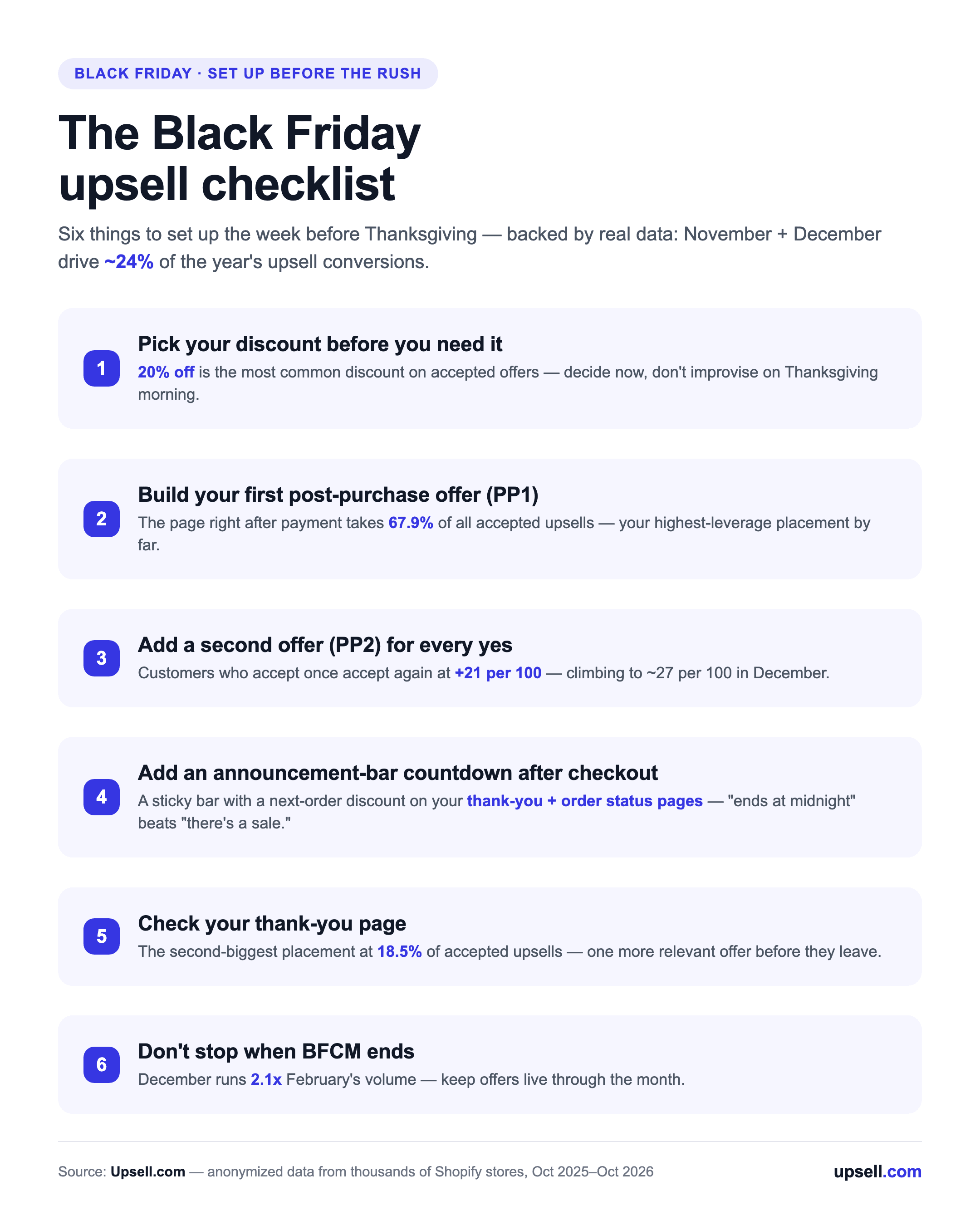
The Black Friday upsell checklist
Set this up the week before Thanksgiving, not during it. Here's the order that matches how shoppers actually move through your store this time of year:
- Pick your discount before you need it. 20% off is the most common choice merchants use on an accepted offer — a reasonable anchor if you haven't tested your own numbers yet. Decide it now so you're not improvising on Thanksgiving morning.
- Build your first post-purchase offer (PP1). This is your highest-leverage placement by far — see our full guide to post-purchase upsells for setup details. One relevant, time-limited offer beats three generic ones.
- Add a second offer (PP2) for anyone who said yes once. A customer who accepts one offer is already warmed up — a second, different offer in that same flow is where that extra +21-per-100 comes from.
- Turn on an announcement-bar countdown on your thank-you and order status pages. Pair it with a time-limited, auto-applied next-order discount, and tie it to your actual sale end date — a countdown that resets or lies erodes trust fast, right when you need shoppers to trust you most.
- Check your thank-you page. It's the exit door every customer walks through after paying — turn it into a revolving door with one more relevant offer instead of letting them leave for good. See our thank-you page data for what's working there right now.
- Don't drop everything the moment BFCM ends. December still runs hot — it's 2.1x February's volume — so keep offers live through the month instead of reverting to your old setup on December 1st.
What the checklist looks like in practice
Picture a home-goods store running a 25%-off storewide sale for the long weekend. The storewide discount gets the customer to buy once. The post-purchase offer is what happens next: a candle set at 20% off, shown only after the order is already placed, to a shopper who's already decided they trust this store enough to pay. No ad spend, no extra traffic, just a second yes from someone who already said the first one. Here's exactly what that looks like:
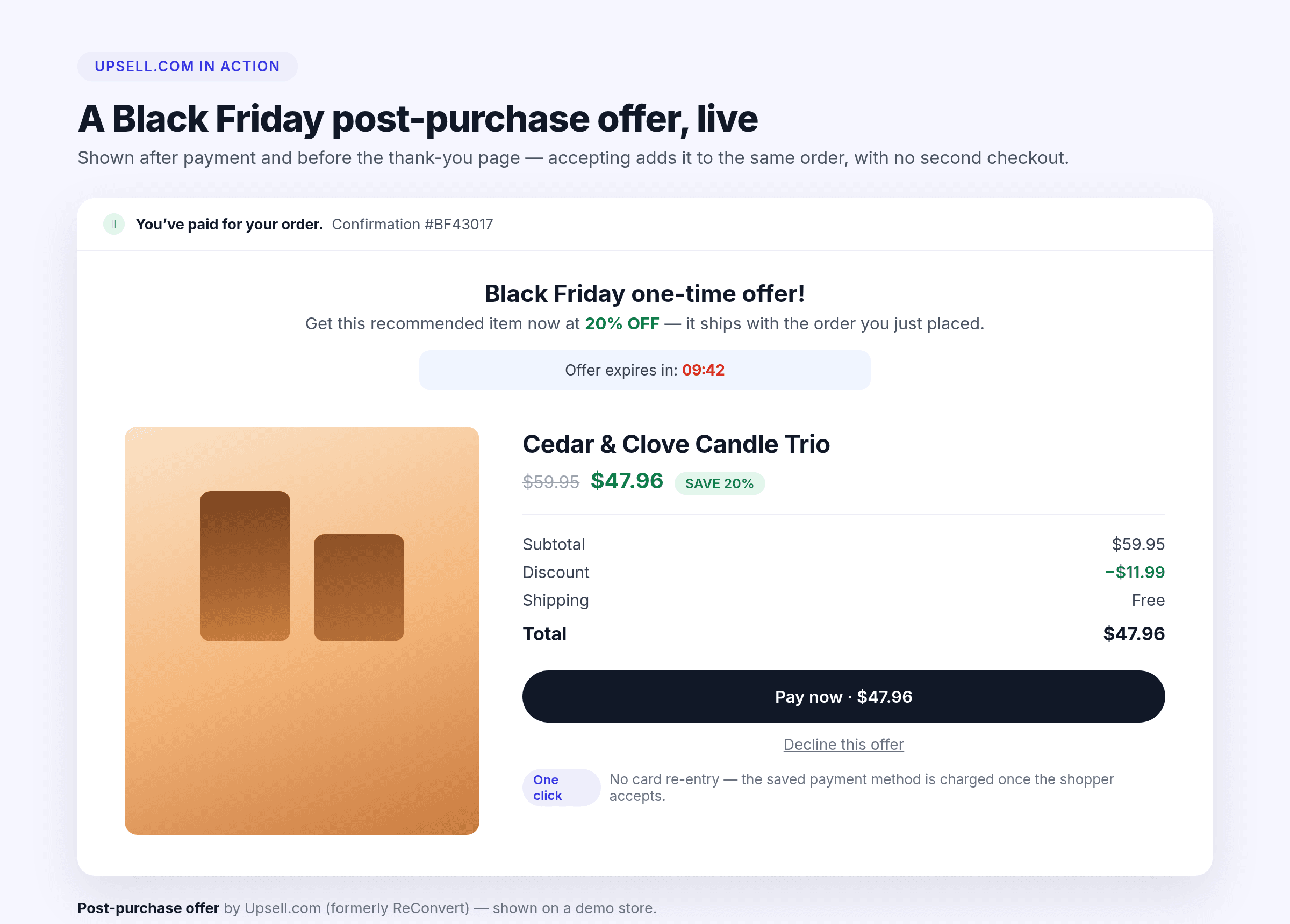
Post-purchase offers already account for 67.9% of every accepted upsell on Upsell.com (formerly ReConvert) — before you spend a single extra dollar on Black Friday traffic, that's the placement already earning the most.
If you haven't run a BFCM season with post-purchase offers before, here's a step-by-step walkthrough of setting the whole funnel up. And if you want the full picture of where every upsell converts, not just post-purchase, our 2026 statistics report breaks down all seven placements.
None of this requires new tools if you're already using Upsell.com (formerly ReConvert) — PP1, PP2, the thank-you page widget, and the announcement bar all live in the same app. If you're not running it yet, install Upsell.com free from the Shopify App Store and have offers live before Thanksgiving week.
Get more from every order
Upsell.com helps you increase AOV with targeted offers across the full shopping journey, from product and cart to checkout, post purchase, and beyond.
FAQ: Black Friday upsells
When should I set up my Black Friday upsells?
The week before Thanksgiving, at the latest. Post-purchase offers, discount codes, and the announcement-bar countdown all take minutes to configure, but you want a few days to test the checkout and post-purchase flow before volume ramps up.
What discount should I offer on a post-purchase upsell?
20% off is the most common choice among merchants on Upsell.com, used on 19.7% of accepted offers — a solid starting point if you don't already have your own tested number. 30%, 50%, and 10% off follow, in that order.
Does a second post-purchase offer (PP2) actually convert?
Yes — customers who accept a first offer accept a second one at roughly +21 per 100 on top, and that rate climbs to about 27 per 100 in December specifically.
Is the thank-you page worth optimizing during BFCM?
It's the second-biggest placement after post-purchase offers, at 18.5% of all accepted upsells, so yes — it's worth a look even if PP1 and PP2 are your priority.
Do I need different offers for November versus December?
Not necessarily different offers, but don't wind down after Black Friday weekend. December is the highest-volume month of the year, 2.1x February, so keep the same setup running through the month.
About this data (and how to cite it)
The statistics in this article come from real, anonymized data recorded across thousands of Shopify stores running Upsell.com (formerly ReConvert) between October 2025 and October 2026. Placement and discount figures are shares of offers customers actually accepted, not conversion rates, since no impression-level data exists for this comparison yet. To cite these numbers, link back to this page or to our full 2026 statistics report.